 Clear Desk
An agent app for osTicket.
Clear Desk is for people who answer support tickets and sometimes need to do it away from a desk. Read tickets, reply, leave a note, assign and resolve, on iPhone and iPad.
You sign in with the agent login you already have. Nothing has to be installed on your helpdesk. An optional free plugin adds instant notifications.
For iPhone, iPad and iPhone Duo. Not on the App Store yet.
What it does
Queues and tickets
Every queue with its count. Sort by any order your helpdesk offers. Search by number, email or keyword.
Reply and note
Answer the customer, or leave an internal note for your team.
Resolve
When you close a ticket you choose whether the customer is emailed. The screen states which, and you confirm it.
Assign and status
Assign to an agent or team. Close, resolve and reopen.
Dashboard
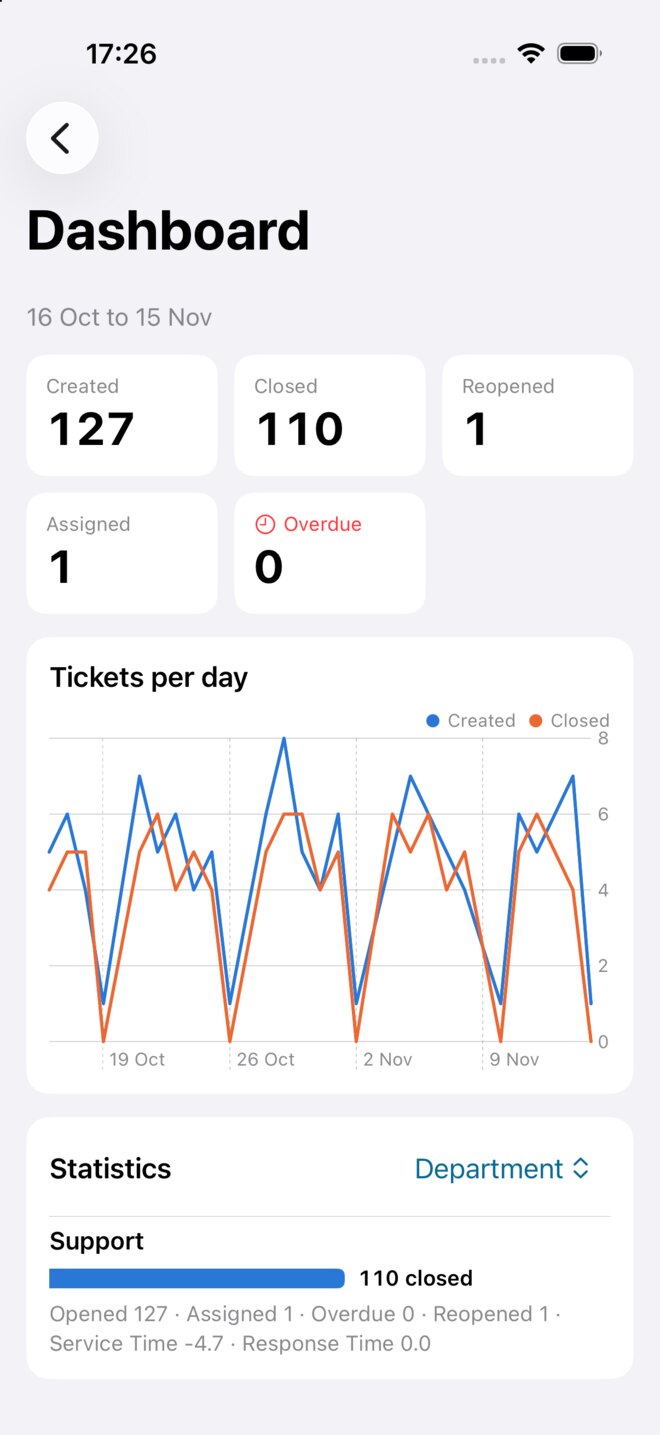
Tickets created and closed per day, and figures by department, topic and agent, for a week up to a quarter.
Widgets
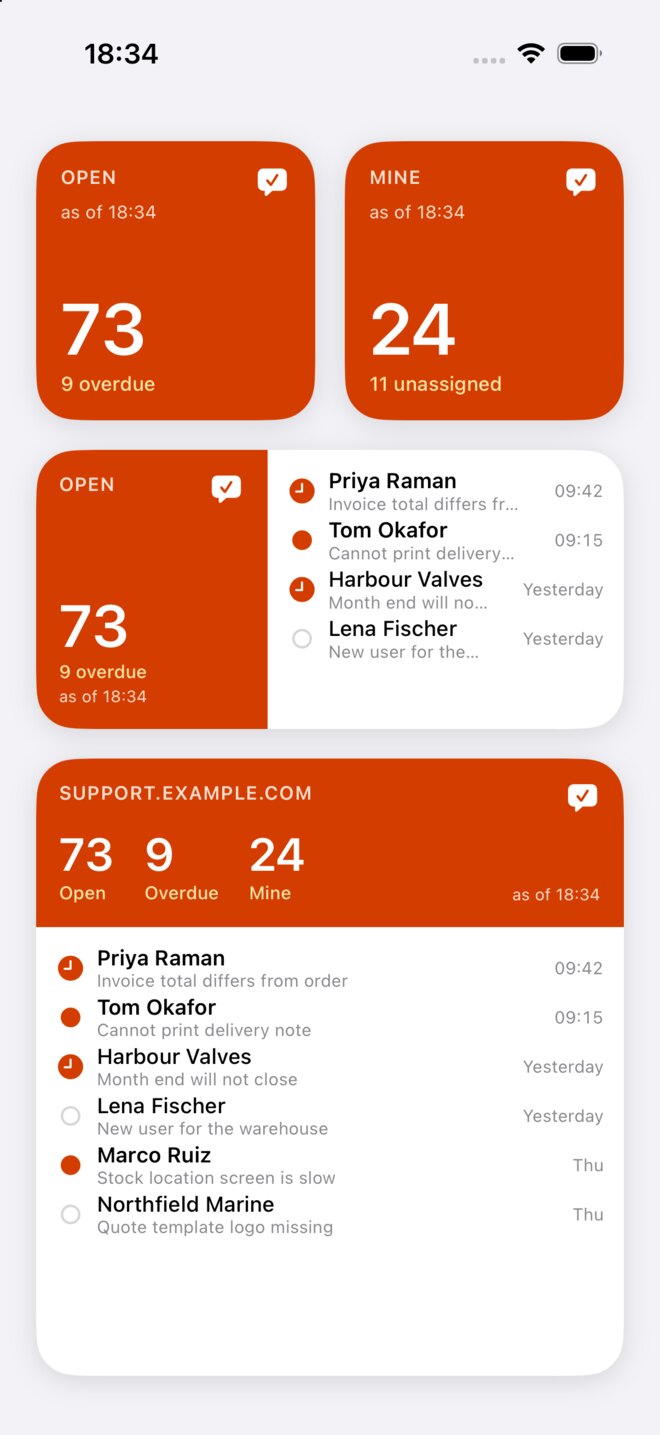
Open, overdue and assigned counts and your latest tickets, on the Home Screen and Lock Screen.
Offline reading
Tickets you have opened, and the first few in each list, can be read with no connection.
Two-factor sign-in
Works with osTicket's emailed verification codes.
Locked
Face ID, Touch ID or passcode. Your password stays in the Keychain on your device.
Tested on every release it supports
Each feature is tested automatically against real osTicket installs before an update ships.
Tested: osTicket 1.17 and 1.17.2 to 1.17.8, and 1.18 to 1.18.4.
Versions not listed, including 1.16 and earlier, may work but are not tested. You need a self-hosted osTicket reachable over https, and an agent account on it.
Limitations
Clear Desk works through the agent panel's own pages. That keeps your server untouched, and it sets some limits you should know before you download.
Instant notifications need a plugin
From version 1.1, instant notifications need the free Clear Desk plugin on your helpdesk, installed by its administrator. Without the plugin there are none. Widgets show the figures from the last time the app was open, and say when that was.
Offline is read-only
Replying, resolving, assigning, search and the dashboard need a connection.
Not included
Creating tickets, sending attachments, formatted message bodies (messages are plain text with their pictures), canned responses, tasks, merging, and advanced or saved searches.
Sign-in
Password, with or without an emailed code. Single sign-on and authenticator-app codes are not supported.
Self-hosted only
The hosted osTicket service is not supported.
Upgrades can break things
A new osTicket release can change the agent panel, and a feature may stop working until the app is updated.
Price
Reading your tickets is free: sign in, browse, search and see the dashboard. Try it first to check it works with your helpdesk.
Clear Desk Full adds replying, notes, resolving, assigning, widgets and offline reading, and from version 1.1 instant notifications. It is a subscription: £2.99 a month or £19.99 a year in the UK, with equivalent prices elsewhere.
Clear Desk is an independent app. It is not affiliated with, endorsed by or supported by Enhancesoft or the osTicket project. osTicket is a trademark of Enhancesoft LLC.