 Widgetise
If it has a URL, it can be a widget.
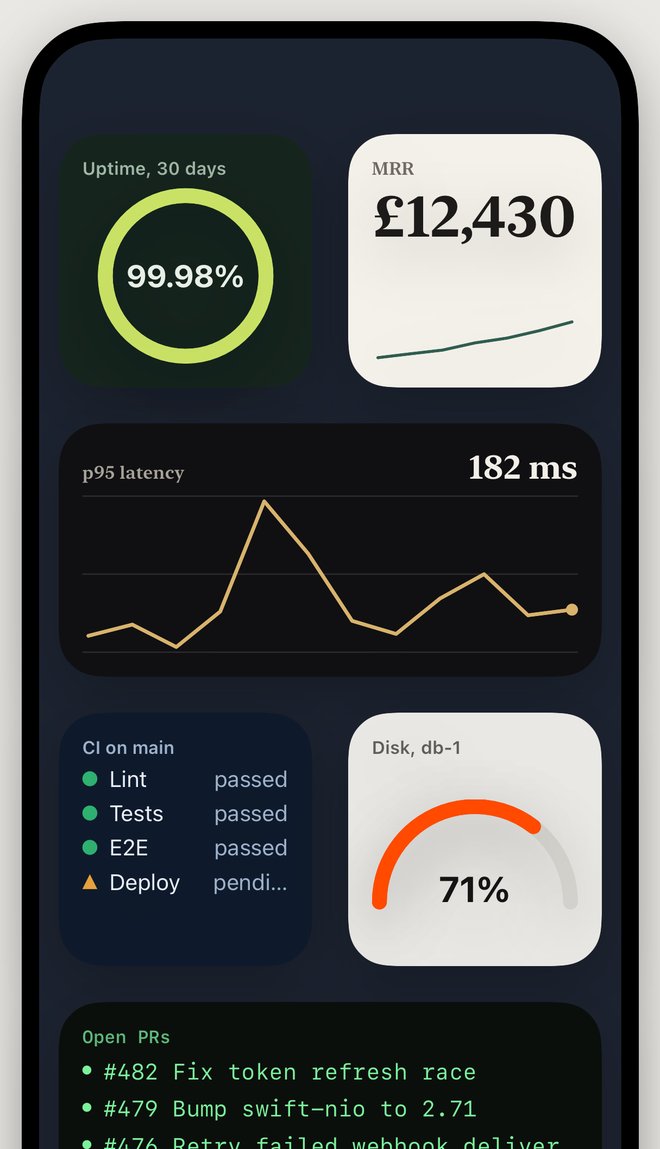
Point Widgetise at a JSON API, an RSS feed, a CSV or a text file in iCloud. Tap the value you want. It's on your Home Screen.
And because every widget is a small file in iCloud Drive, your AI assistant can write them for you.
For iPhone and iPad. Not on the App Store yet.
Widgets are files. Let your AI write them.
Widgetise keeps a folder in your iCloud Drive. Each widget is one JSON file in it. Next to them is an AGENTS.md, written by the app, that explains the format to any coding assistant.
So you open the folder in Claude Code, Cursor, or whatever you use, and say what you want. The assistant reads the guide and writes the file. iCloud carries it to your phone.
If it gets something wrong, the app writes the reason into Problems.md in the same folder, and the assistant fixes its own mistake.
~/iCloud Drive/Widgetise
> p95 latency from api.example.com/metrics
  as a line chart. go red over 500 ms.

  Read    AGENTS.md
  Wrote   Widgets/p95-latency.json
  Wrote   Themes/alert.css

  Done. Open Widgetise to pick it up.
How it works
Point
A URL, a file in iCloud Drive, or pasted text. JSON, RSS, Atom, CSV and plain lines are all understood. Headers too, for APIs that want a token.
Pick
You see the response as a tree and tap the value you want. Widgetise writes the path,
$.metrics.p95[*], so you don't have to.Draw
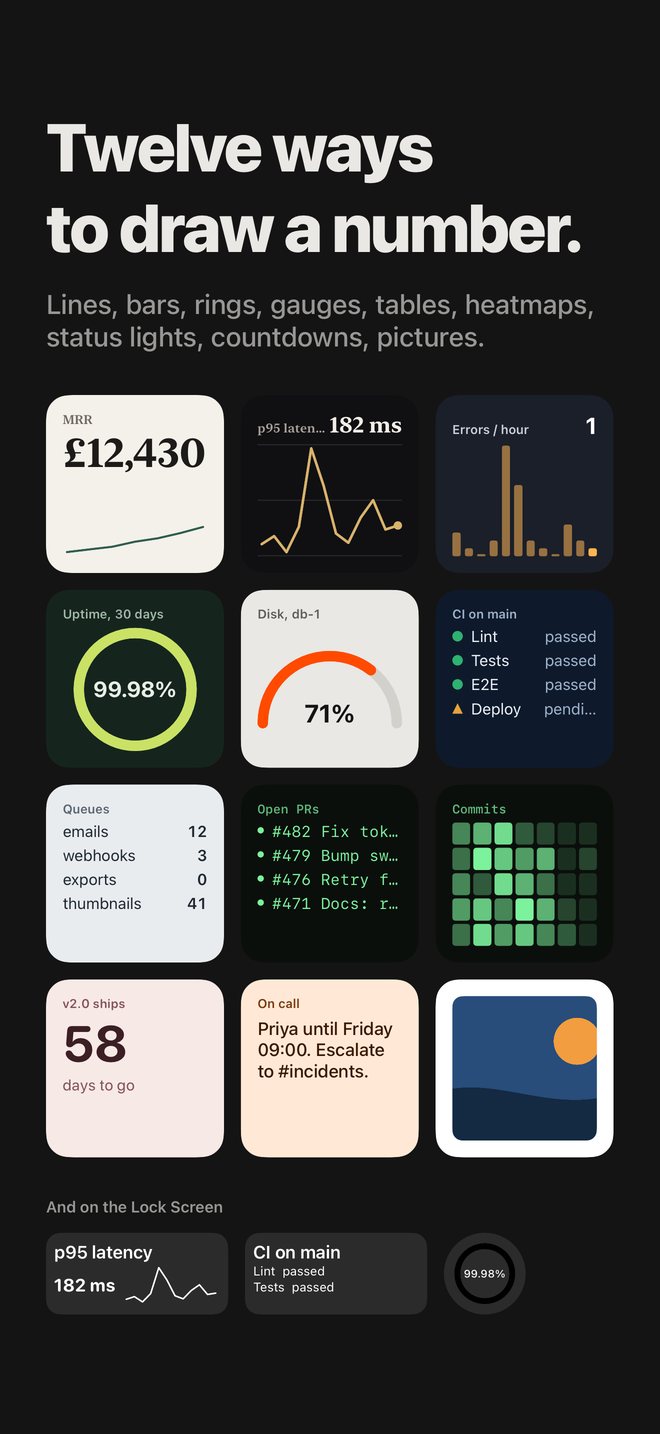
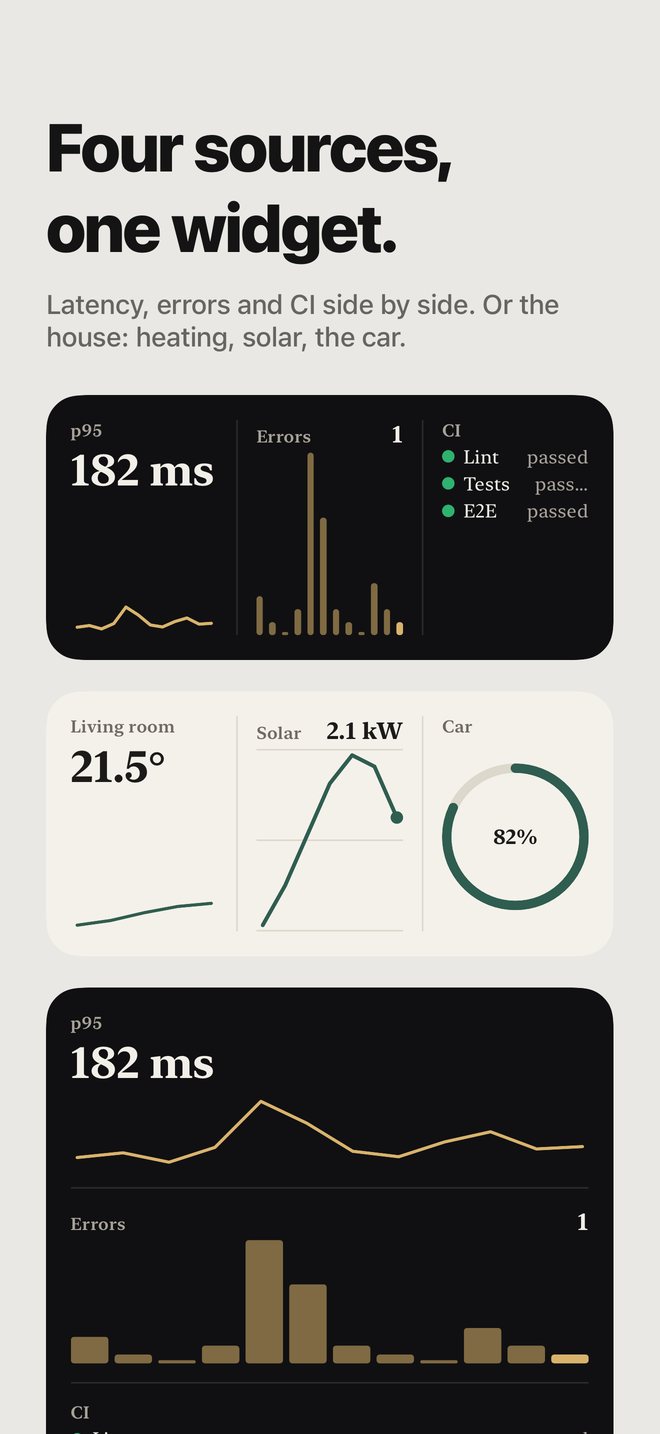
Number, line, bars, list, text, table, status lights, ring, gauge, heatmap, countdown or picture. Up to four sources in one widget.
Style
Twelve themes built in. Your own are CSS files in the same folder.
Themes are CSS. Rules react to data.
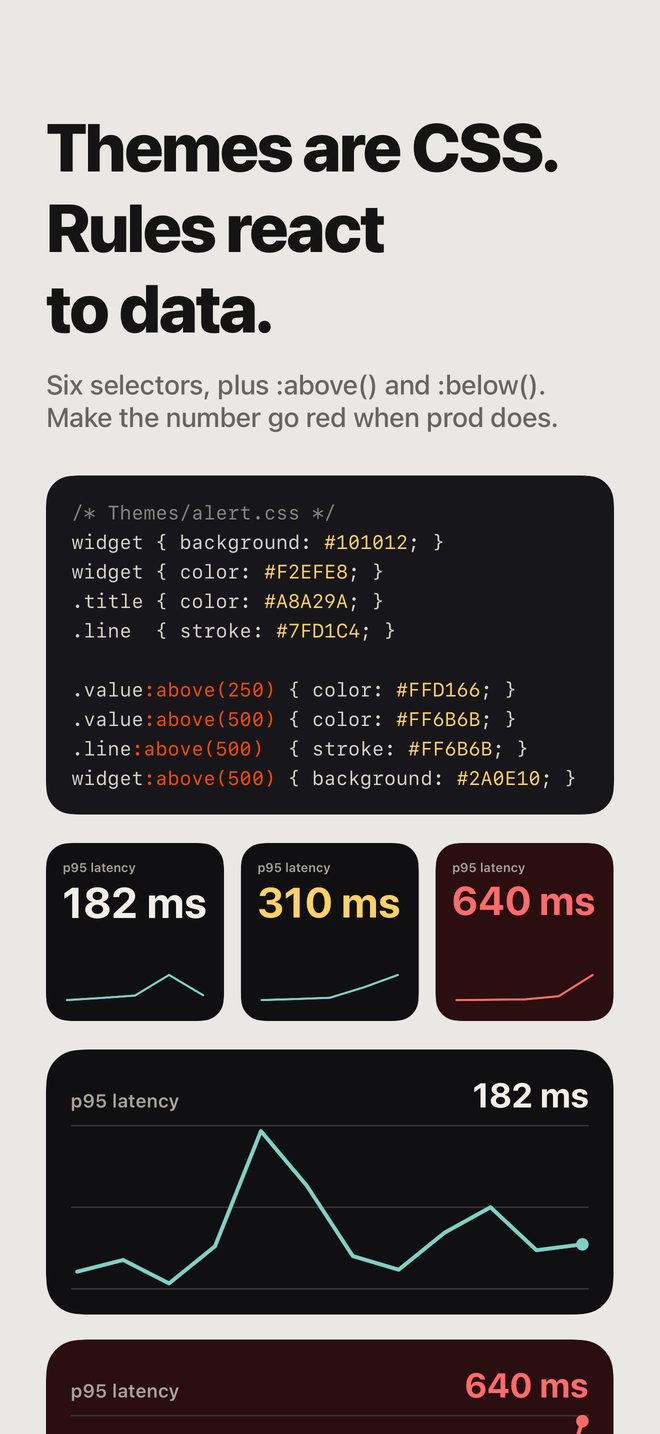
A theme is a file in Themes/. Six selectors, a handful of properties. Add :above() or :below() and a rule only applies while the latest value is past the threshold.
Edit the file and every widget using it changes.
/* Themes/alert.css */
widget { background: #101012; color: #F2EFE8; }
.line  { stroke: #7FD1C4; }

.value:above(250) { color: #FFD166; }
.value:above(500) { color: #FF6B6B; }
widget:above(500) { background: #2A0E10; }
The rest
Keys stay on the phone
API tokens live in the iOS Keychain. A widget file only ever says
{{secret:github}}, so the files are safe to sync, share and hand to an assistant.Files as live data
A widget can read a text file in the folder. Rewrite it from a script, a cron job or a Shortcut and the widget follows.
Lock Screen
Every widget also works in all three Lock Screen sizes.
Shortcuts
Set a widget's data, read its value, or refresh everything, from Shortcuts or Siri.
Your own network
Plain http works, for the Raspberry Pi in the cupboard.
Nothing in the middle
No account and no server of ours. The only machines Widgetise talks to are the ones you point it at.